

How to use the communication interfaces of a car - bottom forging furnace?
Sep 07, 2026
Hey there! As a supplier of car-bottom forging furnaces, I'm stoked to chat about how to use the communication interfaces of these bad boys. These interfaces are super important 'cause they let you control and monitor the furnace easily, which means better efficiency and top-notch results.
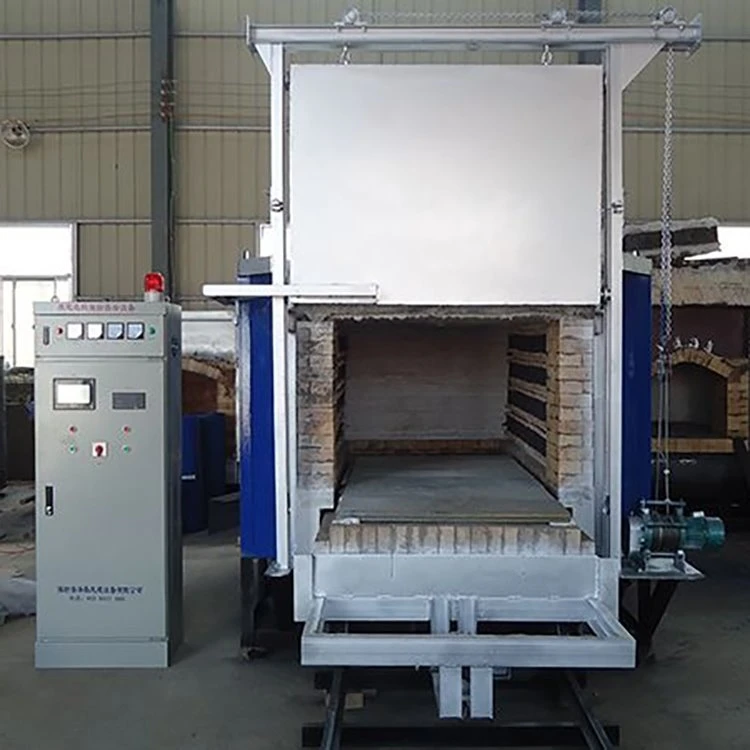
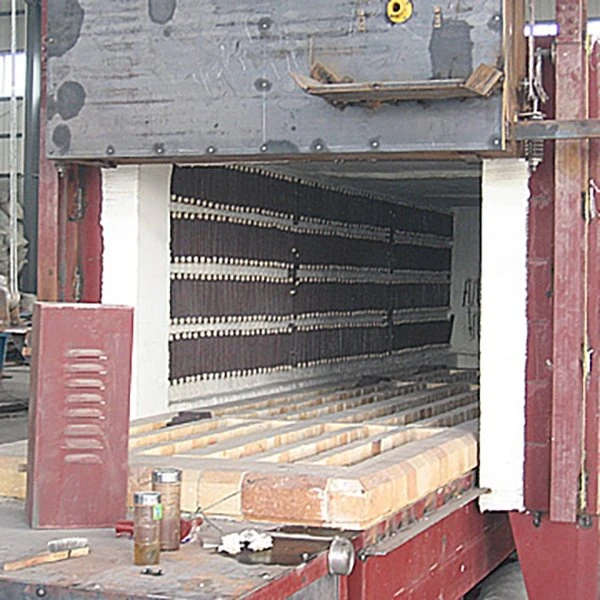
First off, let's talk about why communication interfaces are a big deal. In a car-bottom forging furnace, there are a bunch of processes happening, like heating, cooling, and controlling the atmosphere inside. The communication interfaces act like the bridge that connects the furnace's control system with other devices, such as a computer or a control panel. This connection allows operators to send commands to the furnace, collect data on its performance, and make adjustments in real-time.
Types of Communication Interfaces
There are a few common types of communication interfaces used in car-bottom forging furnaces:
- RS-232: This is one of the oldest and most widely used serial communication protocols. It's simple to use and compatible with many devices. With RS - 232, you can connect the furnace to a computer or a PLC (Programmable Logic Controller) for basic control and monitoring.
- Ethernet: Ethernet is a fast and reliable network communication standard. It allows for high - speed data transfer, which is great for real - time monitoring of multiple parameters in the furnace. You can connect the furnace to a local area network (LAN) or even the internet for remote access.
- Modbus: Modbus is a popular communication protocol used in industrial automation. It's an open - standard protocol, so it can be easily integrated with different types of devices. Modbus can be used in both serial and Ethernet networks, making it very versatile.
How to Use These Interfaces
Using RS - 232 Interface
If you're using an RS - 232 interface, here's how you can get started:
- Check the Hardware: Make sure your furnace has an RS - 232 port. You'll also need an RS - 232 cable to connect it to your computer or PLC.
- Configure the Software: On your computer or PLC, you need to configure the communication settings. This includes setting the baud rate (the speed at which data is transmitted), data bits, stop bits, and parity. These settings should match the ones in the furnace's control system.
- Establish Connection: Once the settings are configured, you can establish a connection between the furnace and the device. You can then send commands to the furnace, such as setting the temperature or starting a heating cycle.
Using Ethernet Interface
The Ethernet interface offers more advanced features compared to RS - 232. Here's how to use it:
- Network Setup: First, you need to make sure your furnace is connected to a compatible network. You'll need an Ethernet cable to connect the furnace to a router or a switch.
- IP Address Configuration: Each device on the network needs a unique IP address. You'll need to configure the IP address of the furnace's communication module. You can do this through the furnace's control panel or a web - based interface.
- Remote Access: Once the furnace is connected to the network, you can access it remotely. You can use a web browser or specialized software to monitor and control the furnace from anywhere with an internet connection.
Using Modbus Protocol
The Modbus protocol provides a standardized way to communicate with the furnace. Here's how it works:
- Device Identification: Each device on the Modbus network has a unique address. You need to assign an address to your furnace's control module.
- Function Codes: Modbus uses function codes to specify the type of operation you want to perform. For example, function code 03 is used to read holding registers, which can contain data such as temperature settings.
- Communication Master - Slave Relationship: In a Modbus network, there is a master device (usually a computer or a PLC) and one or more slave devices (like the furnace). The master device sends requests to the slave devices and receives responses.
Benefits of Using Communication Interfaces
- Improved Control: With communication interfaces, you can have more precise control over the furnace's operations. You can adjust the temperature, heating rate, and other parameters in real - time, which can lead to better - quality forgings.
- Remote Monitoring: You can monitor the furnace's performance from anywhere in the world. This is especially useful for maintenance and troubleshooting. If there's an issue with the furnace, you can quickly identify it and take action.
- Data Logging and Analysis: Communication interfaces allow you to collect data on the furnace's operation, such as temperature profiles and energy consumption. You can analyze this data to optimize the furnace's performance and reduce costs.
Our Product Range
As a car - bottom forging furnace supplier, we offer a wide range of products with advanced communication interfaces. Check out some of our great options:
- Trolley Type Tempering Furnace: This furnace is designed for tempering processes and comes with reliable communication features.
- Car Bottom Quenching Furnace: Ideal for quenching operations, it allows for precise control through its communication interfaces.
- Electric Door Trolley Furnace: With an electric door for easy access, this furnace offers efficient communication for better operation.
- Car Bottom Annealing Furnace: Perfect for annealing processes, it provides stable communication performance.
- All - fiber Trolley Furnace: This lightweight and energy - efficient furnace comes with advanced communication capabilities.
Contact for Purchase
If you're interested in our car - bottom forging furnaces and want to learn more about their communication interfaces or make a purchase, don't hesitate to reach out. We're here to answer all your questions and help you find the best solution for your forging needs.
References
- Industrial Automation Handbook, various editions
- Communication Protocols in Industrial Control Systems research papers from engineering journals